🌐 Language Support
AdvantageScope supports multiple languages to provide a localized experience for teams worldwide. The following languages are currently available and supported by the AdvantageScope documentation, desktop app, mobile apps (AdvantageScope XR and AdvantageTune), and AdvantageScope Lite (on Systemcore and in the FIRST Driver Station).
- English (US)
- Spanish (Latin America)
- French
- Dutch
- Portuguese (Brazil)
- Romanian
- Turkish
- Russian
- Kazakh
- Hebrew
- Arabic
- Hindi
- Simplified Chinese
- Traditional Chinese
Thank you to FRC Team 6907 The G.O.A.T. for their help reviewing and improving AdvantageScope translations!
Configuration
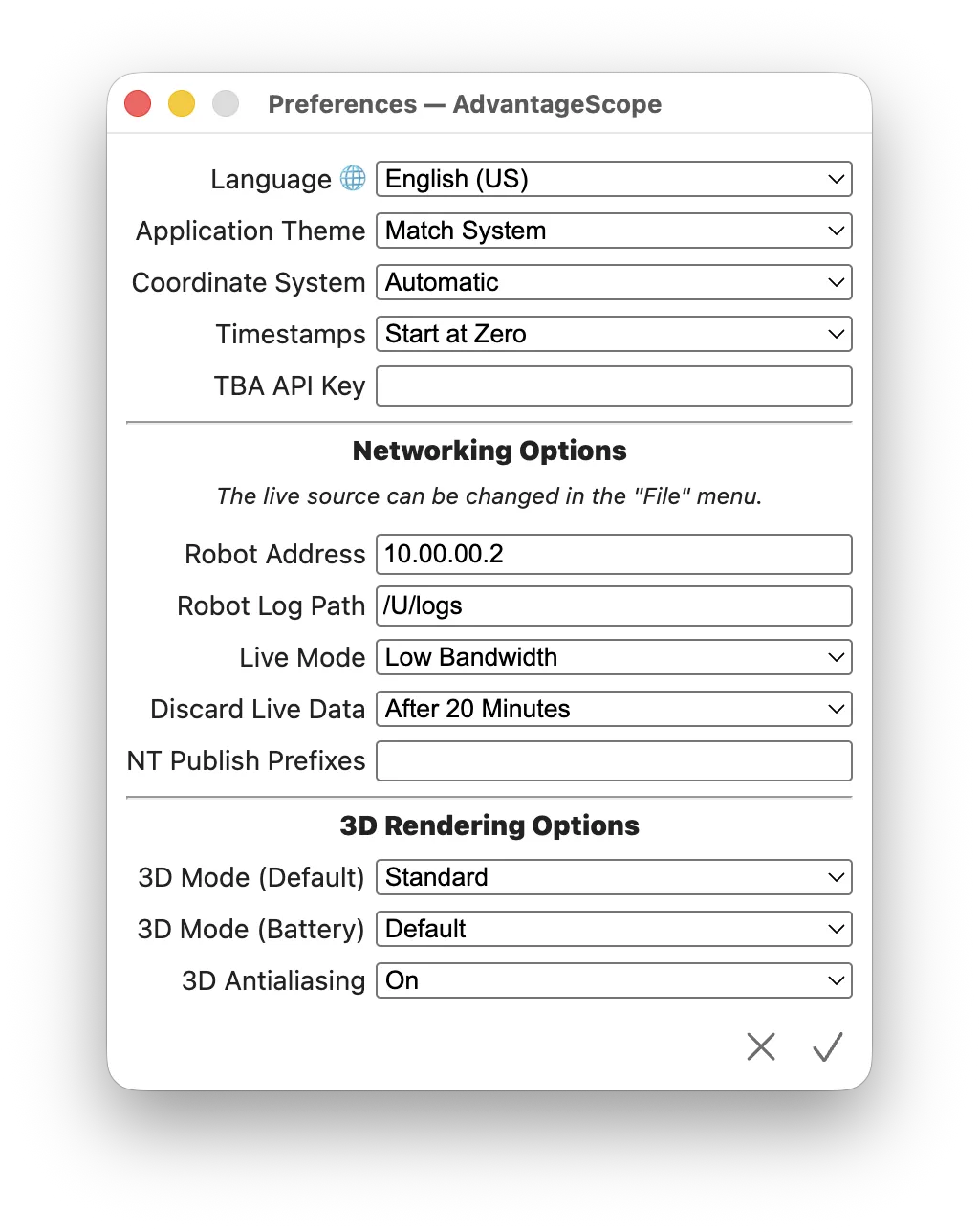
To change the display language in AdvantageScope, open the preferences window by clicking App > Show Preferences... (Windows/Linux) or AdvantageScope > Settings... (macOS). Under the "Language" setting, you can choose from the list of supported languages or select "System Default" to automatically match your operating system's language.
Logging Keys
All formats supported by AdvantageScope feature full Unicode compatibility when defining log keys. This means you can log data using your preferred language (including accents, special characters, and non-Latin alphabets) and it will be properly recorded and displayed in AdvantageScope.
Here is an example of logging a string with a Simplified Chinese key:
- Java
- C++
- Python
- AdvantageKit
Telemetry.log("驱动/右电机速度", "快");
wpi::telemetry::Log("驱动/右电机速度", "快");
import telemetry

telemetry.log("驱动/右电机速度", "快")
Logger.recordOutput("驱动/右电机速度", "快");
See the page on unit support for more details on communicating unit metadata. Unit names must be provided using SI symbols or English (American or British spelling), regardless of the language selected in AdvantageScope.
Development
AdvantageScope's localization is created with a combination of artificial intelligence and community collaboration. Because AdvantageScope is a rapidly evolving project, utilizing AI is essential to keeping the translated app and documentation in sync across every language. This means that new features and updates are always available simultaneously regardless of the language you select.
Our process is designed to match the specific vocabulary, loanwords, and transliterations that local teams are familiar with. However, AI translations often include unnatural phrasing or other inaccuracies. We welcome your feedback; you can provide feedback on translations by clicking the purple icon in the app or the feedback link in the documentation title bar (when configured for any language other than English).