⏱️ Timestamps
AdvantageScope supports customizable timestamp display options across all views, including the timeline, the 📉 Line Graph, the 🔢 Table, and the 💬 Console.
Display Modes
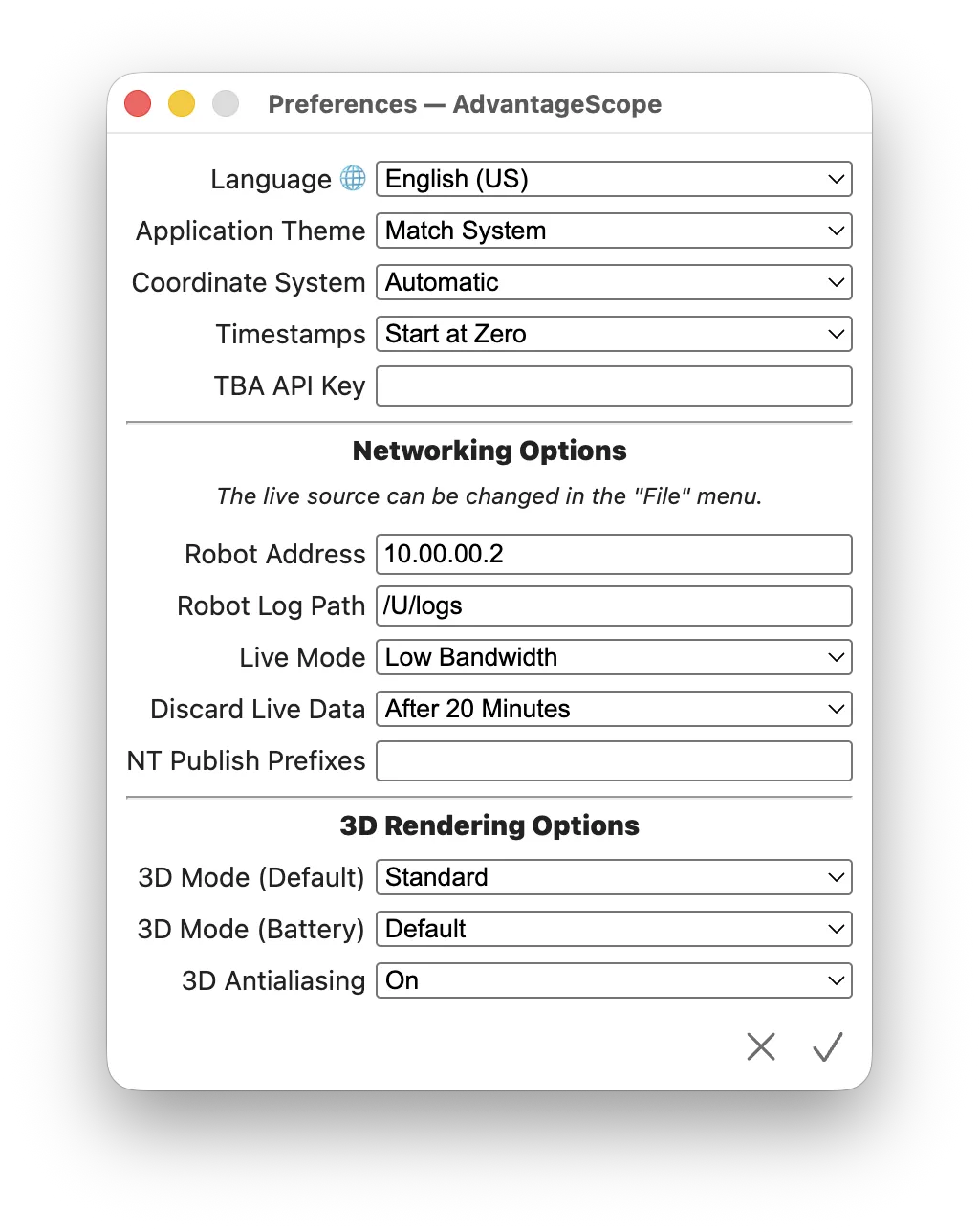
The timestamp display mode can be configured in the preferences window:
- Start at Zero (Default): Offsets all timestamps so that the earliest data in the log begins at zero (
+0.0s). Timestamps displayed in this mode are prefixed with a+symbol to indicate elapsed time from the start of the data. - Original: Displays timestamps using their original numerical values as recorded in the log file, matching the exact values used by the robot code.
Starting with WPILib 2027, timestamps are measured using the time since device boot on Systemcore and in simulation. Because raw timestamps may start at arbitrary large numbers, Start at Zero is provided as a more intuitive visualization option.
Multi-Log Synchronization
When multiple log files are opened simultaneously, AdvantageScope synchronizes and aligns their timestamps. In Start at Zero mode, the zero point is set to the earliest timestamp across all loaded files. In Original mode, timestamps are displayed using the timebase of the first opened log, with any additional logs shifted to align with it.
Customization
To change the timestamp display mode, open the preferences window by clicking App > Show Preferences... (Windows/Linux) or AdvantageScope > Settings... (macOS), or by pressing Ctrl+, / Cmd+,. Update the Timestamps setting to the desired option.