📐 Coordinate Systems
AdvantageScope includes support for several common coordinate systems on the 🗺️ 2D Field and 👀 3D Field tabs. Please reference the WPILib coordinate system documentation for more information on the axis and rotation conventions used by AdvantageScope.
Customization
By default, the coordinate system is automatically selected based on the chosen field image/model. To select a different coordinate system for use on all fields, open the preferences window by clicking App > Show Preferences... (Windows/Linux) or AdvantageScope > Settings... (macOS) and change the "Coordinate System" option.
All coordinate system options are compatible with both FRC and FTC fields.
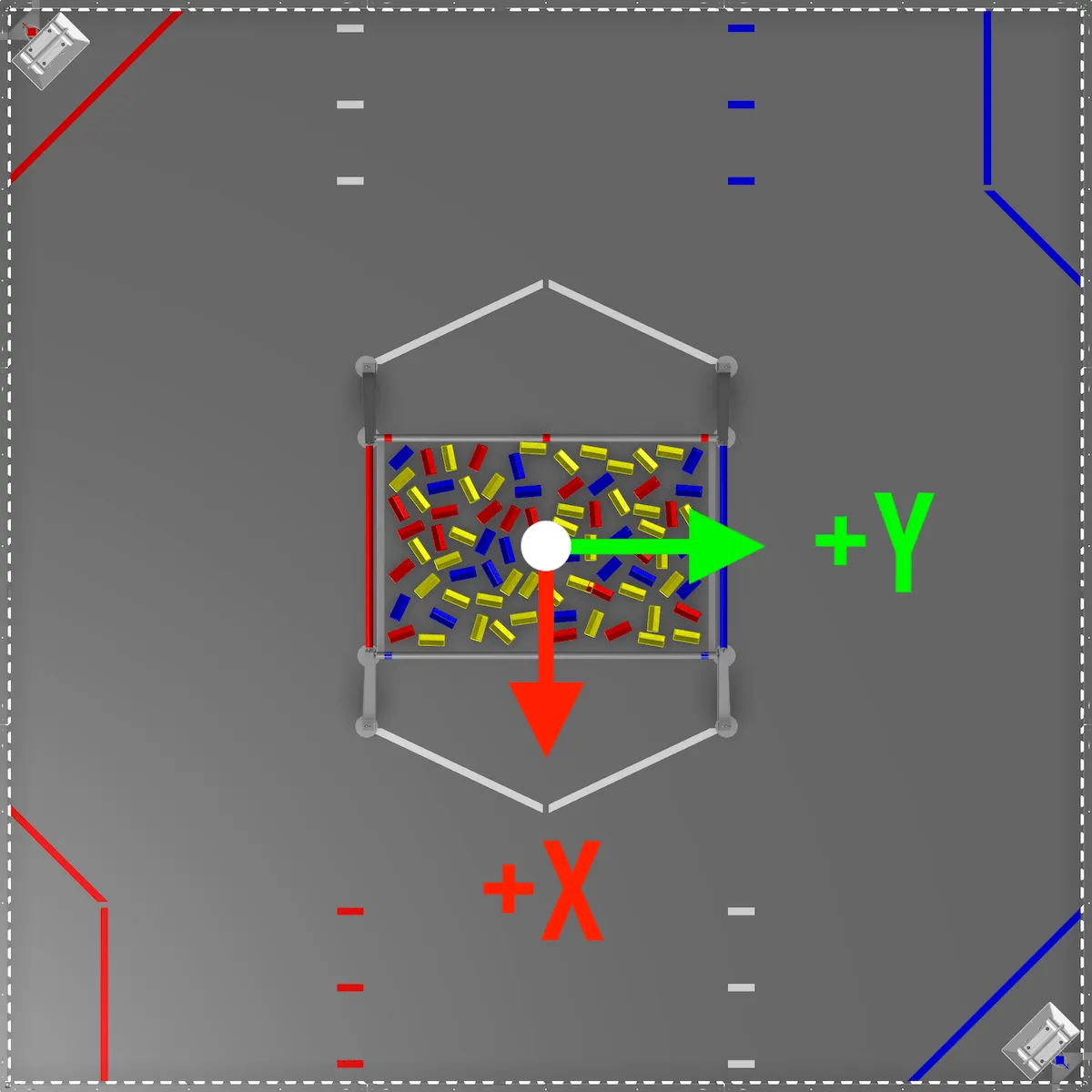
Center/Red (Systemcore)
The origin is in the center of the field with the +X axis facing away from the red alliance wall, as shown below. This is the default coordinate system for FRC fields starting in 2027 and FTC fields starting in 2027-2028.
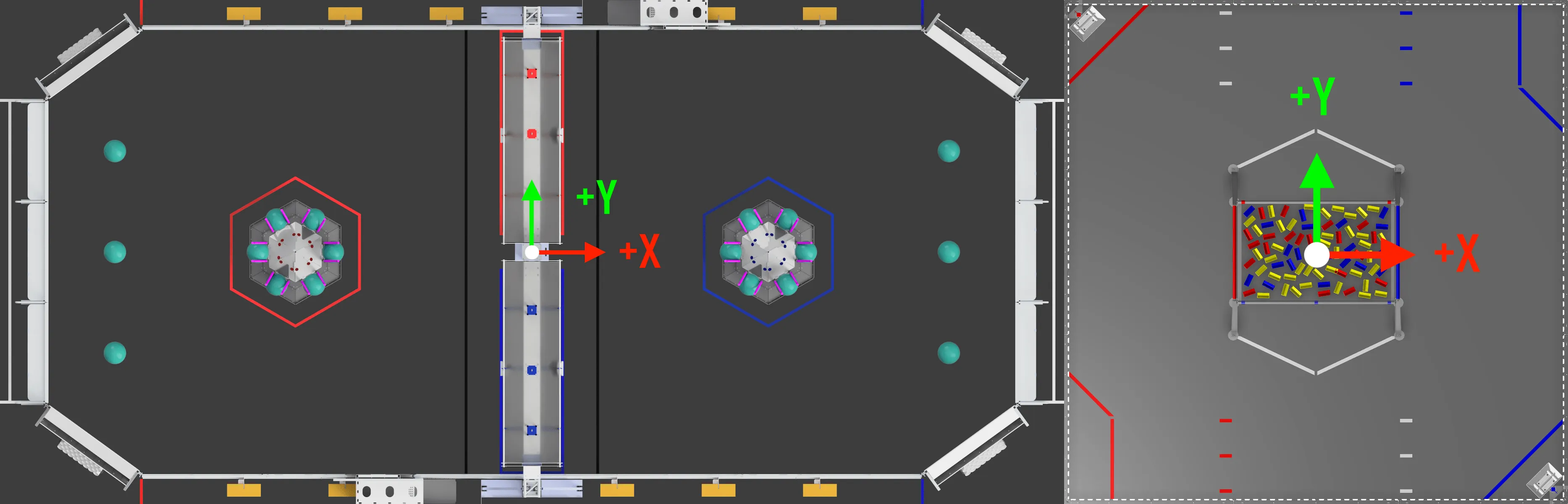
Blue Wall
The origin is in the rightmost corner of the blue alliance wall with the +X axis facing the red alliance wall, as shown below. This is the default coordinate system for FRC fields from 2023 to 2026.
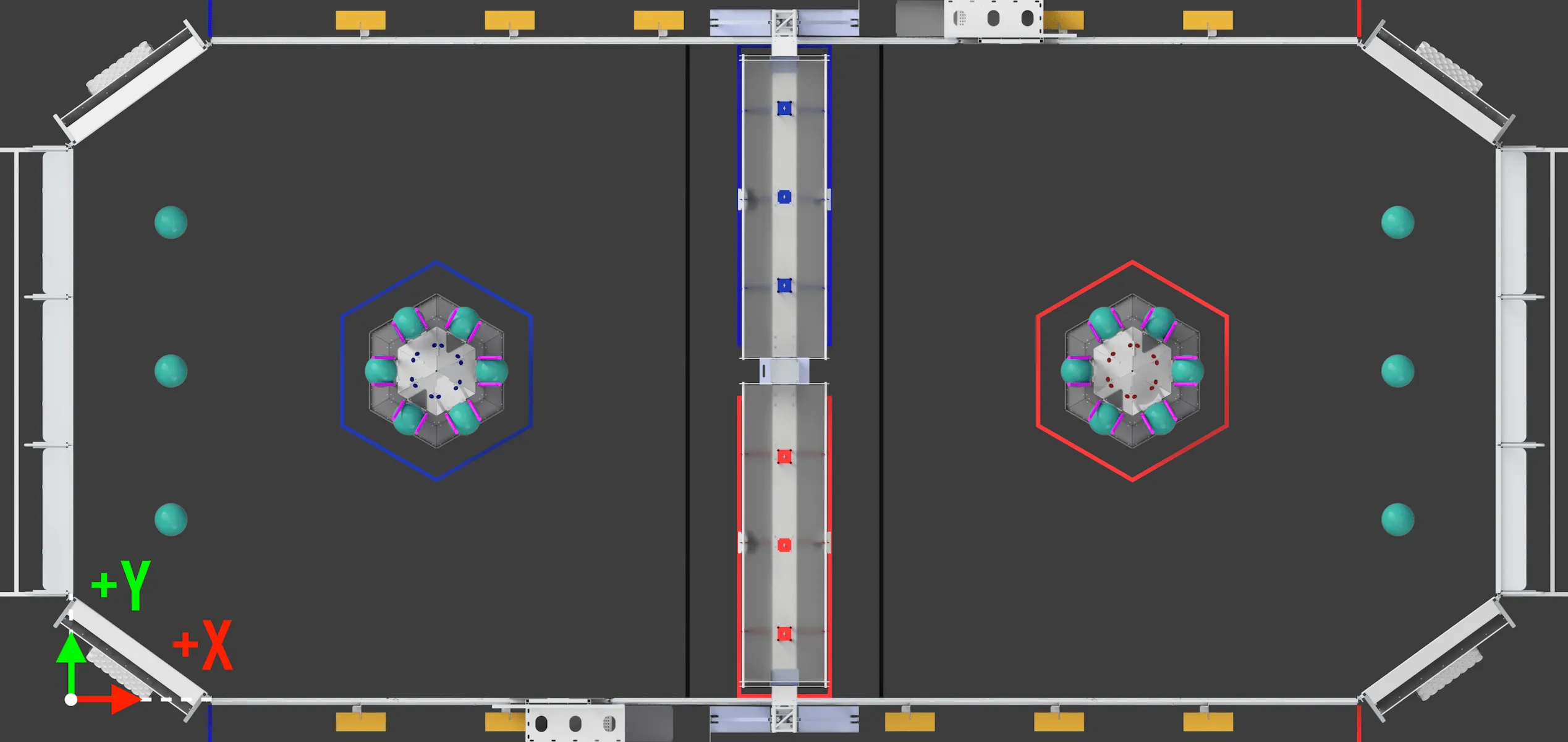
Alliance Wall
The origin is in the rightmost corner of the alliance wall for the robot's current alliance with the +X axis facing the opposite alliance wall, as shown below. This is the default coordinate system for FRC in 2022.
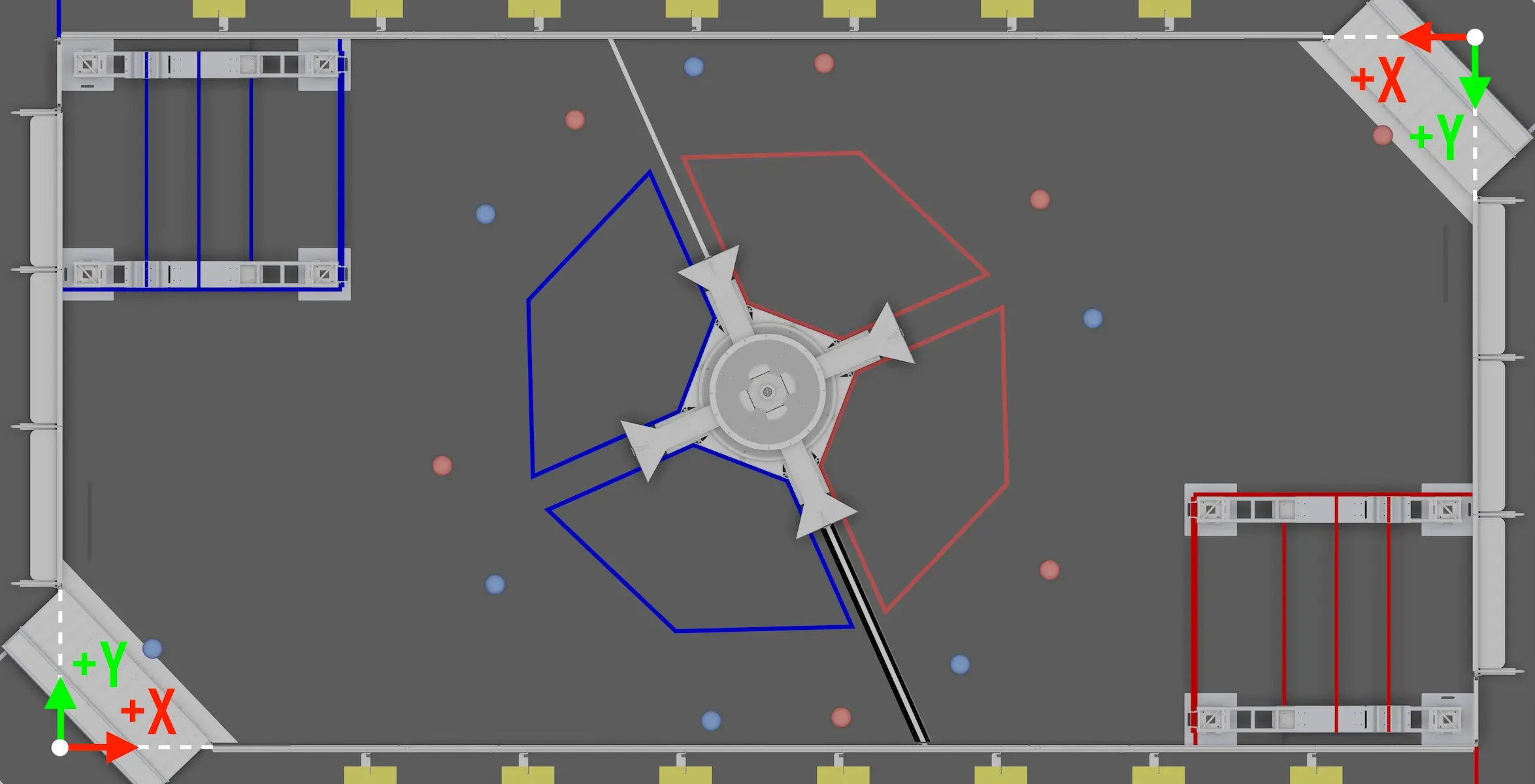
Center/Rotated
The origin is in the center of the field with the +X axis facing to the right from the perspective of the red alliance wall, as shown below. This is the default coordinate system for FTC fields from 2024-2025 to 2026-2027.